
ERP Software for Businesses in India, UAE and Oman
One system for sales, stock, customers and reports, sized for small and medium businesses.
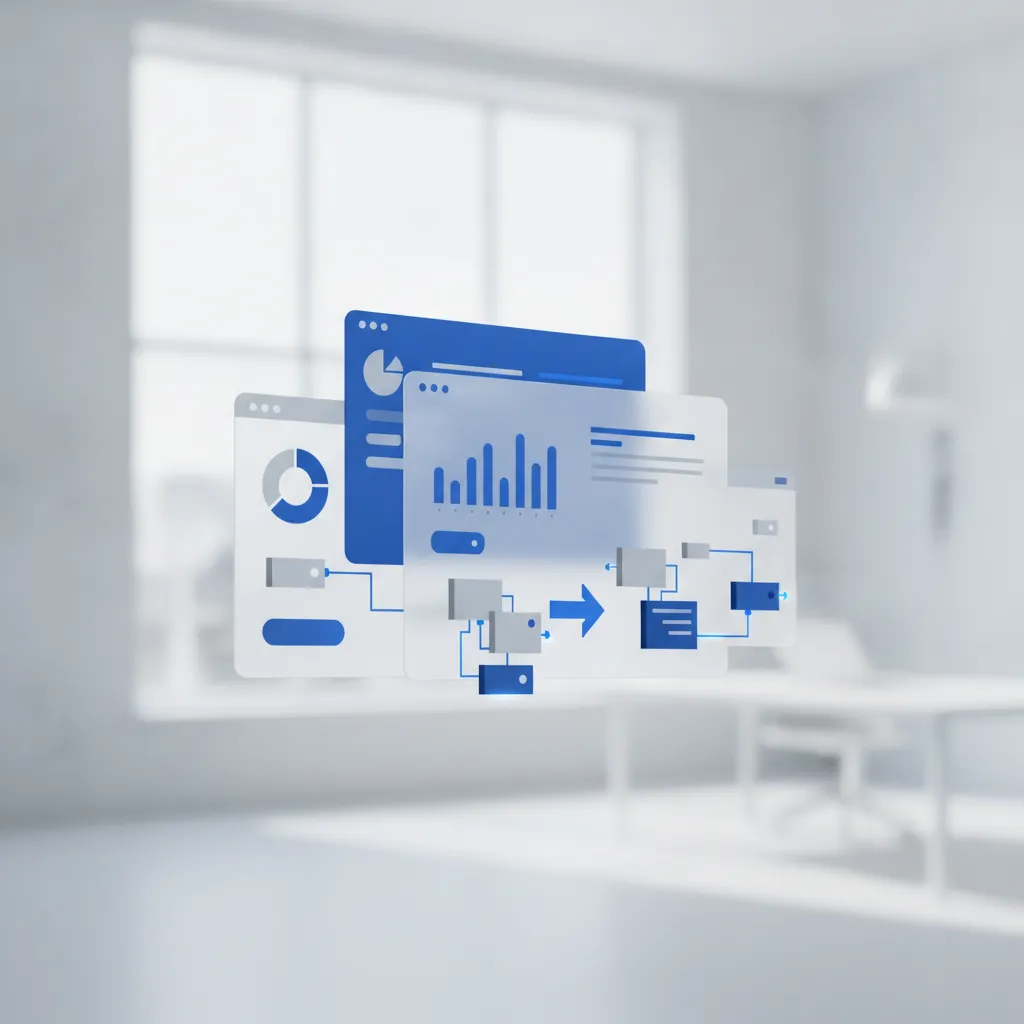
COG ERP is enterprise resource planning (ERP) software for small and medium businesses, offered to companies in India, the UAE and Oman.
Run your business better with COG ERP
ERP stands for Enterprise Resource Planning. It is software that puts your business processes in one place, so everyone works from the same information. You can follow accounts, customers, stock and purchasing without chasing files.
COG eRetail, our ERP system, is built to be easy to use and complete. It covers finance, warehousing and distribution for small and medium businesses.
Your data, your resources and your people sit on one platform. You see what is happening in real time, find data fast and make decisions with confidence. Automating routine work also saves your team time.
How can COG ERP help your business?
More control and visibility
Check on your office from anywhere, at any time. See daily sales, production and other operations as they happen, and keep an eye on performance.
Better efficiency and productivity
Cut repetitive work, improve communication and make decisions simpler. Your team gets more done in the same hours.
Data and reports in one place
Documents and data live on a single platform, so they are easy to find. Reports show you how the business is really doing.
Security and access control
Your documents are stored in a secure database with backups and privacy controls. Role-based access decides who can see what, and an activity audit shows who did what.
Modular and scalable
Set up the core software the way you need it. Add modules as you grow, and run several lines of business or several locations.
A sales team that stays on top of things
You get alerts for document approvals, document expiry, post-dated cheques (PDC), stock levels, credit limits and more. Built-in templates cover sales quotations, purchase orders and order forms.
Better customer service
Integrated CRM helps your sales team and customers stay in touch. Build a client database with customer details, contacts and call history that anyone on the team can open.
Better communication
Data is easy to reach, approvals move quickly and management talks openly with staff. That makes communication across the company smoother.
Why choose COG ERP?
COG eRetail is made for small and medium businesses. Its modules cover accounting and book-keeping, manufacturing, distribution, sales and invoicing, customer relationship management (CRM), and HR and payroll. You pick the modules you need, add more later and customize them to your requirements.
Built for small and medium businesses
COG ERP is designed around the needs of small and medium businesses. It is not a scaled-down version of a system built for big companies.
Grows with your business
COG ERP is modular. Start with the modules you need today and add more as your business grows.
Customized for you
Apart from the core software, every feature is built to match how your business works.
Affordable
COG ERP costs less to implement than many other systems. The savings in running your business help cover the investment.
COG ERP modules
Accounts and financial management
Give your whole organization a clear view of finances, using tools people already know. Handle daily accounting work with ease, including credit and debit notes, balance sheet, profit and loss, cash book, day book, general ledger and credit limits.
Features
Ledgers
Create ledger groups and cost centers, and handle bill-to-bill transactions. Set credit limits and credit terms, and see unrealized amounts.
Payments and receipts
Number entries manually or automatically. The module supports post-dated transactions, bill-by-bill entries and collections marked by salesperson, with an automatic report. It also covers payment and receipt lists, journal vouchers, petty cash and suspense amounts.
Banking and reconciliation
Reconcile your bank and keep a bank book. Process and print cheques, in batches or across multiple banks, then verify or hold them. The system prevents over-payments, warns you when conditions are breached, and lists cheques issued and cheques in hand.
Reports
Get VAT reports, day book, cash book, schedules, trial balance, opening trial balance, trading account, P&L and balance sheet. The daily statement shows the day's cash, sales, purchase and bank transactions, and you can see expenses by cost center.
Sales and customer relationship management (CRM)
COG eRetail covers the full sales cycle: enquiry, quotation, sales order, delivery note, and stock and service invoice. General ledgers and customer ledgers update in real time, and you can run reports whenever you need them.
Features
Call register
Log sales enquiries and keep a customer database. See sales and service history and the status of each enquiry. Assign enquiries to a salesperson or send them to the right division.
Leads
See each lead's status, follow-up dates and other details. Transfer leads, change ownership, and filter by date created, follow-up date, customer or contact person. Salespeople and line managers get daily follow-up email alerts and daily, weekly and monthly sales achievement reports. You can add appointments and reminders, and add or revise quotations with history and approval. You can also handle LPOs, convert a quotation to a sales order and a sales order to an order form.
Order processing
Create sales orders directly, with multi-currency and multi-unit support and a custom price list for each customer. Check credit limits and block transactions if needed, load items from history or a template, and lock orders to stop further edits. A pick list with item locations helps staff find stock, and it is emailed to invoicing staff automatically. Barcode scanning counts the items picked.
Sales entry
Convert a sales order to a sales invoice and lock the transaction. Check the sales margin and send a notification or ask for a pass code before going further. The system picks the customer's price category and creates the packing slip and delivery note. You can add extra costs for gross profit (GP) calculation and get a GP report by salesperson. A weekly sales aging report goes by email to each salesperson and line manager.
Sales reports
Get a sales register, and separate reports by sales tax, item, bill, group or salesperson. Also included are the sales performance report, monthly, quarterly and yearly customer reports, pending bills, pending bills aging and pending sales orders. You can see sales GP and the last sold price for each customer.
Sales return
Handle returns with multi-currency and multi-unit support, and include returns in a salesperson's achievement calculation. Reports cover the sales return report and registers by tax, item, item bill, group and person.
Service CRM
The service module lets you quickly log service needs and see customer information, product history and the resources you need. That shortens the time between a call coming in and a job being assigned, and helps you manage delivery.
Features
Call register
Log service enquiries, keep a customer database, and track service history, ticket status and ticket allocation.
Tickets and job cards
Create, close or update job cards and tickets, and assign jobs to technicians. It covers warranty and AMC jobs and keeps timesheets and records of services done. The system works out job cost and creates an invoice from the service records.
RMA
Start an RMA from the customer or the service department, and verify the invoice. Create an RMA slip, assign it to a technician and set updates and reminders for follow-up. You can list items under RMA and items sent out for RMA, with their status.
Service contracts
Manage AMC contracts with multiple payment policies. Get notifications for renewal dates and AMC payments, and keep contract history and AMC customer history and tracking.
Work schedules
Schedule and track the jobs given to each service person, and list the tickets assigned to them. Record the time spent on each ticket, assign several people to one ticket, and issue spares or items for service. Labour cost is calculated from salary settings.
Purchase and procurement
COG eRetail covers the whole purchase process: requisition, enquiries to several vendors, recording quotations and comparing them, purchase orders, LPO approvals and goods receipts. General ledgers and vendor ledgers update automatically.
Features
Procurement assistant
Create purchase requests from pending sales orders, including back-to-back purchase requests. Send a request for quote (RAQ) to several suppliers and track their prices and lead times. You can create multiple purchase orders from one RAQ based on shipping and other criteria.
Purchase order
Create and send a BOQ to several vendors, then add and view their price quotes. Prepare the PO and load items from reorder level, material requisition or a template. You can pick items from the inventory master and see available stock and tax details. Load payment terms from the vendor database, set approval notifications, use multi-level permissions and lock the PO.
Process PO
See all open LPOs in one window, along with all purchases and payments released against a single PO. Track advances given against POs and set automatic notifications.
GR entry
Record goods received before the actual invoice arrives. Update stock through GR entry alone, enter several GRs against one PO, view back orders and record inter-company goods receipts.
Purchase entry
Create the GR entry from the invoice automatically, and enter several purchases against one PO. All PO items fill in automatically, and the system checks for changes in unit price or invoice total. Enter shipping, handling or customs costs, and landed cost is calculated by volume, updating inventory landed cost and sending notifications. It supports multi-currency and multi-unit, trade discounts, back orders and manager-level verification of entries.
Purchase returns
Reverse a GR entry for items sent back to the supplier, even without a purchase return entry. A reverse purchase entry is created automatically for every purchase return, with multi-currency and multi-unit support.
Vendors
Keep a vendor database where you create and edit vendors and contact details. Set payment terms, credit limits and trade discounts, and keep a vendor item list.
Reports
Get a purchase register, with views by tax, item and invoice. Other reports include pending bills, aging, monthly summary, purchase return register (by item and by invoice) and goods receipt register.
Inventory control and management
COG eRetail's inventory module is affordable and handles multiple locations. It suits general trading, retail, integrators, wholesalers, manufacturers and distributors.
Features
Inventory groups
Create multi-unit groups and groups based on properties such as color or model. Apply a sales markup to groups and see the projected price based on landed cost. Update prices in bulk by setting a markup percentage. You get group-wise reports on inventory, sales and purchase, and can set sales targets by inventory group.
Inventory item
Set item codes, barcodes and EAN codes. Multi-unit settings come from the group, and you can change the sales and purchase unit for an individual item. It supports batches, total stock across items with several properties, pre-assigned tax rules, multiple locations, reorder levels, images and specifications, and price groups. Item look-up shows stock by location and any reserved stock.
Stock management
Track all items in one window. View stock by warehouse and by batch, see reserved stock with details (including demo items), and view stock vouchers.
Stock transfer
Move stock between your business locations, including from one warehouse to several locations.
Price groups and price lists
Set up several price groups and assign one to each customer, so the right price is picked automatically. Price lists support multiple currencies and show product images and specifications. You can also update prices in bulk from Excel data.
Reorder level
Set a reorder level for each item.
Sales markup
Set a minimum markup. The system blocks the sale or sends a notification if the margin falls below it. You can also update prices based on markup percentage.
Reports
Get stock register, stock value report (also by warehouse), stock summary (also by warehouse), stock movement and stock aging. The changed landed cost report lets you update prices by markup or by hand.
Production management
Manufacturing in COG eRetail is fully tied to inventory. It suits both discrete and continuous manufacturing. Work-in-progress updates in real time across all production lines, and flows through to the trial balance, profit and loss and balance sheet automatically. It also tracks batch or production lot number, manufacturing date and expiry date.
Features
BOM
Create a template of the raw materials used in production, with costing parameters.
Production
Plan production with a BOM and record by-products with their cost. Add production costs such as machine and labor, and issue materials. Costs and landed cost update automatically.
Assembly
A simpler version of the production module for assembly-only work.
Human resources and payroll management
The COG eRetail HRM module covers the whole employee cycle, from recruitment to retirement. It handles employee management, attendance and payroll, leaves, performance evaluation, and loans and advances.
Features
Employee management
Keep employee details and designations, and assign several roles to one employee. Add documents with expiry dates and set reminders before they expire.
Attendance
Attendance runs automatically on your company policy. Set holidays, work hours and shifts, and view a work calendar showing employee status, leaves applied and holidays. Leave approvals notify the employee and the line manager.
Payroll
Process payroll from your salary settings, with loans and advances deducted automatically. Create payslips, and send a detailed attendance report and payslip each month. SIF generation is included.
Reports
Get an employee-wise attendance register, leave register, attendance status, employee leave status, employee list, employee documents and employee loans.
Markets we serve
COG ERP is built for small and medium businesses across India, the UAE and Oman. We work with trading, retail, distribution and service companies, helping them manage accounts, sales, purchase, inventory, production and HR on one platform.
We are based in Kochi, Kerala. We set up, customize and support COG ERP remotely for clients across India, the UAE (Dubai, Abu Dhabi, Sharjah and beyond) and Oman (Muscat and beyond), as well as Kochi, Ernakulam and the rest of Kerala.
Get in touch to talk about ERP software for your business in India, the UAE or Oman.
What is ERP software?
ERP stands for enterprise resource planning. It is one system that connects the main parts of a business, such as sales, purchases, stock, accounts and reports, so everyone works from the same up-to-date information.
Is ERP right for a small or medium business?
It can be, once spreadsheets and separate tools start to cause mistakes, delays or double entry. A good sign is when you cannot easily answer questions such as what is in stock, who owes us, or how this month compares with last month.
Frequently asked questions
Does COG ERP work for businesses in the UAE and Oman?
Yes. Small and medium businesses in India, the UAE and Oman use COG ERP. We can set it up to match the accounting, sales and inventory practices of each region.
Can I use COG ERP remotely from India, the UAE or Oman?
Yes. COG ERP is cloud based, so you can reach your business data and reports securely from India, the UAE, Oman or anywhere else. Any device with an internet connection will work.
Can you customize the ERP for VAT and local rules in the UAE or Oman?
Yes. COG ERP is modular and fully customizable. We set up modules like Accounts, Sales, Purchase, Inventory, Production and HRM to fit the tax, invoicing and regulatory needs of your business in India, the UAE or Oman.
How much does ERP software cost for a small or medium business?
The cost depends on the modules and customization your business needs. Contact us for a free consultation and a quote for your business in India, the UAE or Oman.
What is ERP for SMB?
ERP for SMB means business management software sized and priced for small and medium businesses, rather than for large corporations. COG ERP is built with that in mind.
Where is COG ERP available?
COG Studios offers COG ERP to businesses in India, the UAE and Oman.
How do I know if I need ERP?
If your team keeps re-entering the same data, reports take days to prepare, or stock and accounts rarely match, an ERP is worth looking at.
Working with businesses across Kerala
We are based in Kochi and work with clients in every district of the state, as well as in the UAE, Oman and the USA.
one studio
From Kasaragod in the north to Thiruvananthapuram in the south.
- UAE
- Oman
- USA
Have a project in mind?
Tell us what you need and we will get back to you with a plan and a quote.